만드는 방법
1. 이미지들을 1배수, 2배수를 각각 모아놓습니다.
파일명을 기반으로 클래스명이 생성되기 때문에 이미지 파일명을 시멘틱하게 정리하는 것이 좋습니다.
2. 스프라이트 생성 페이지에 접속합니다. https://spritegen.website-performance.org/
CSS Sprite Generator, Editor, and Code
--> --> --> CSS sprites are a way to reduce the number of HTTP requests made for image resources referenced by your site. Images are combined into one larger image at defined X and Y coorindates. Having assigned this generated image to relevant page elemen
spritegen.website-performance.org
3. 1배수 파일들로 먼저 스프라이트를 생성합니다. (간격 5px)
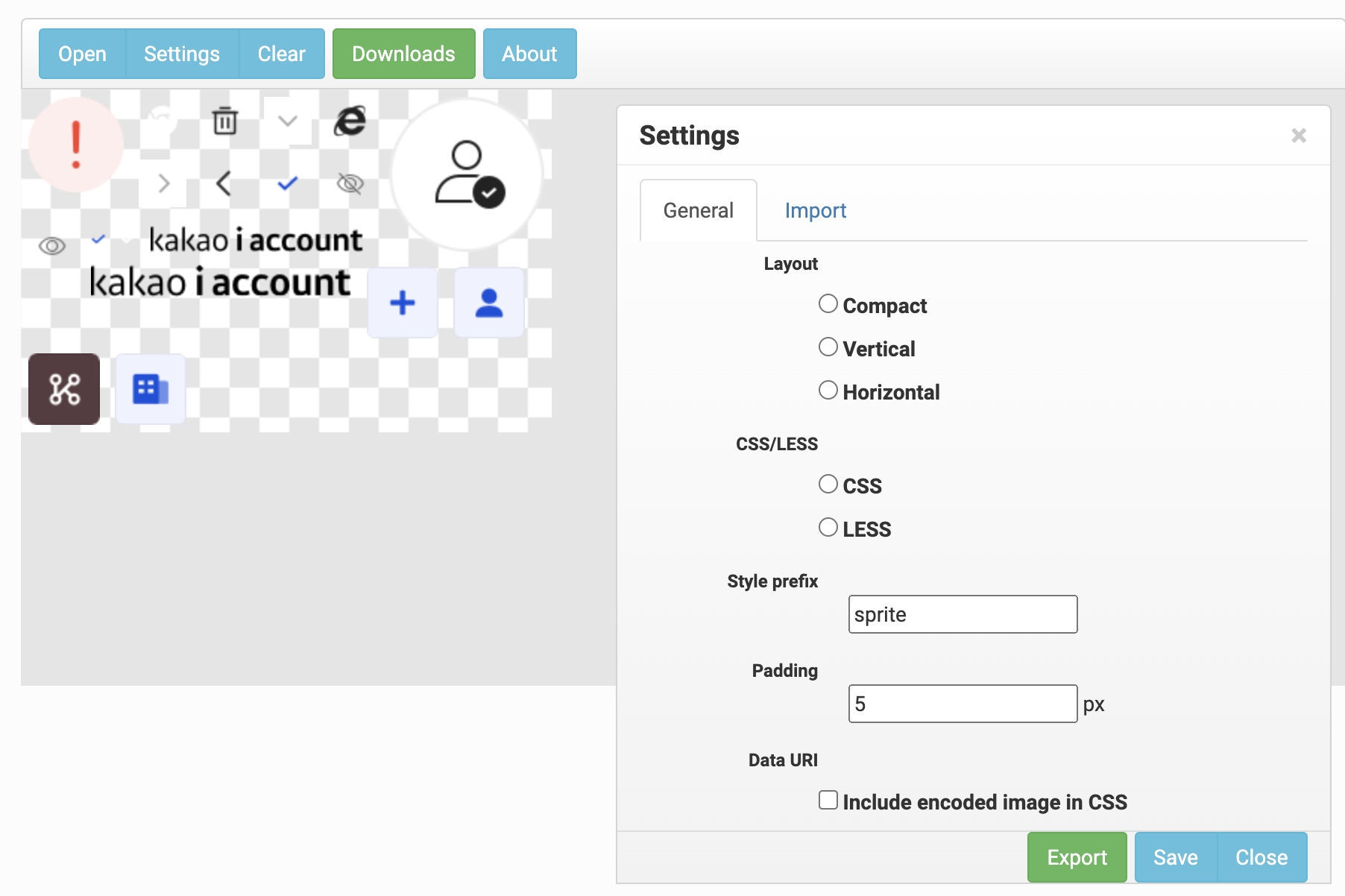
4. 2배수 파일들로 스프라이트를 생성합니다. (간격 10px : 1배수 스프라이트 간격의 2배)

5. 2배수 스프라이트 이미지를 다운 받습니다.
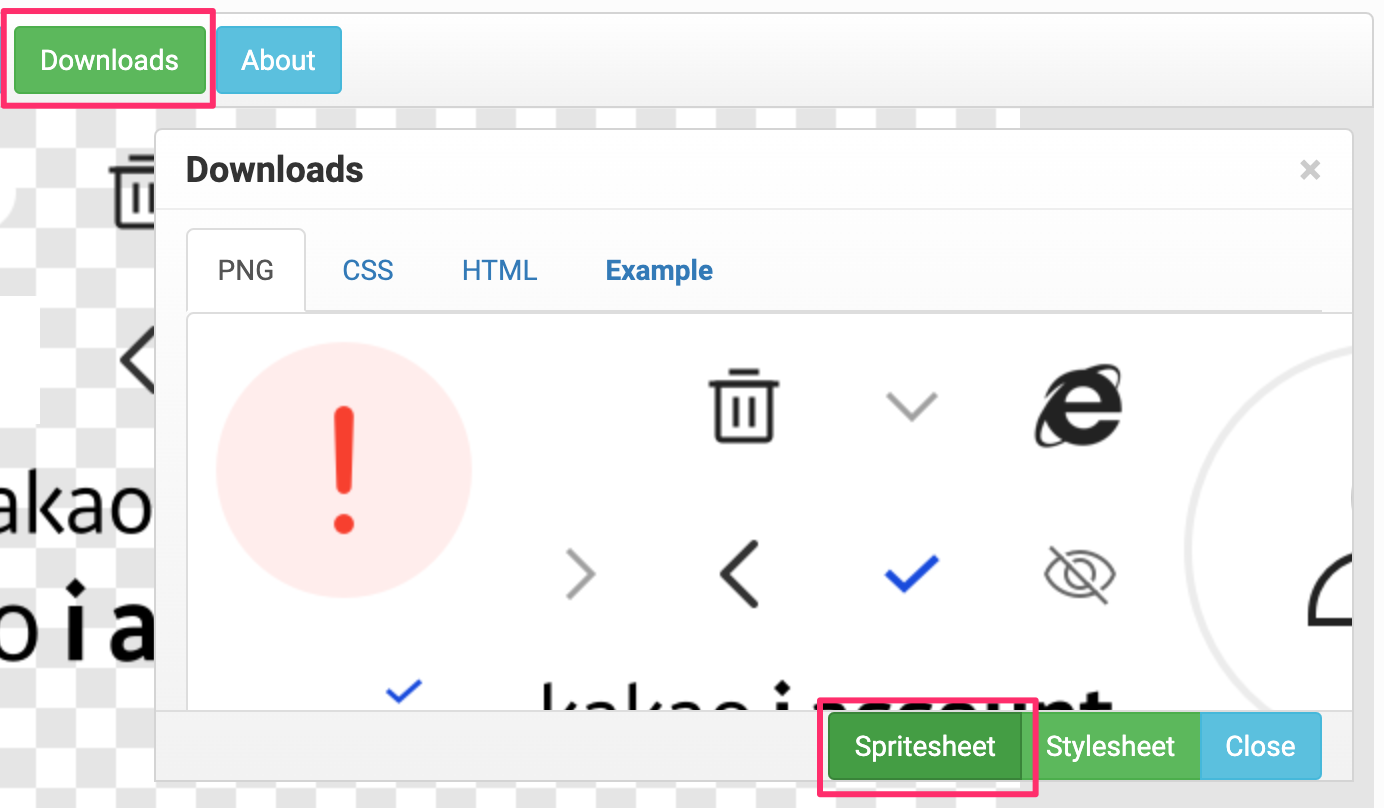
6. png 이미지 최적화 후 메타케이지에 업로드 합니다. (52kb → 15kb)
TinyPNG – Compress PNG images while preserving transparency
Make your website faster and save bandwidth. TinyPNG optimizes your PNG images by 50-80% while preserving full transparency!
tinypng.com
7. 1배수 스프라이트의 코드를 복사합니다.
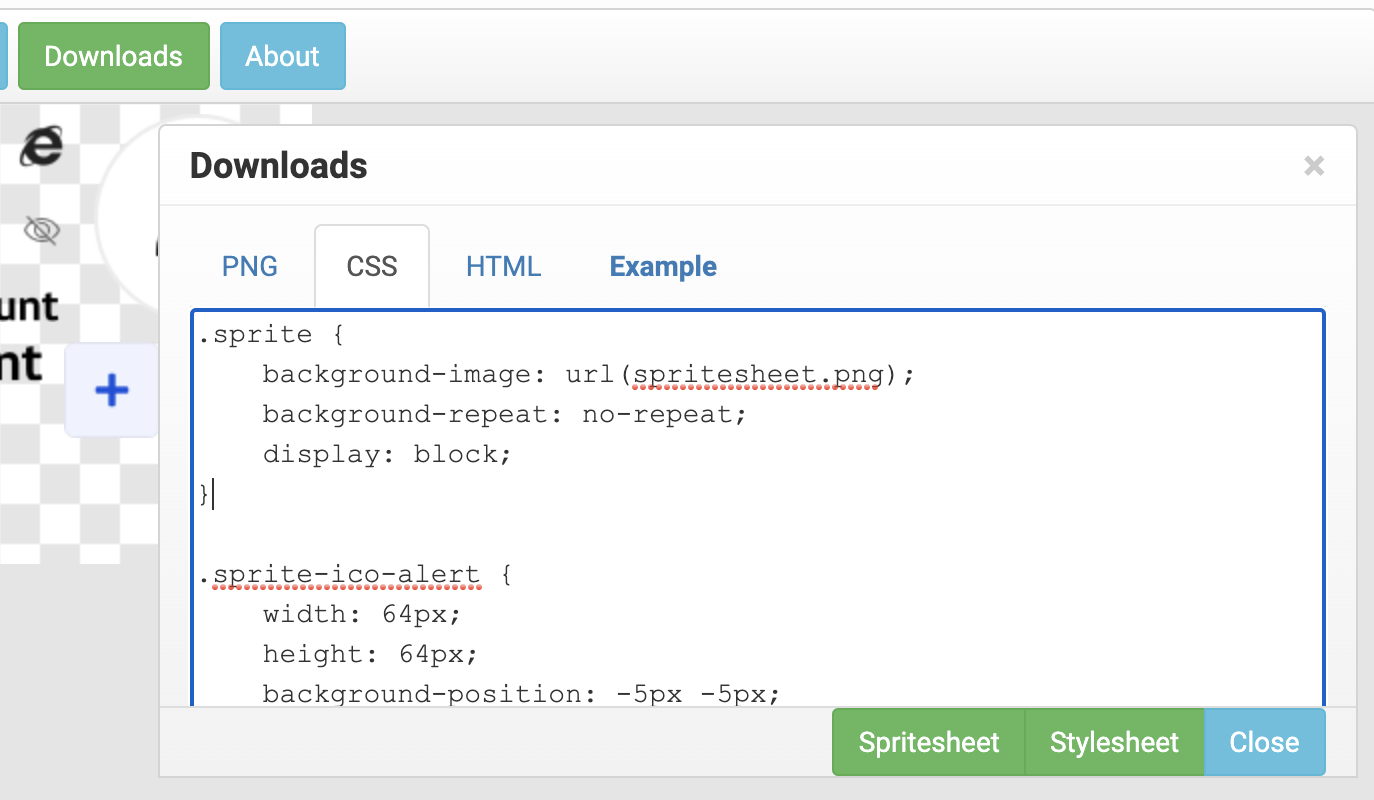
8. 핵심은 2배수 스프라이트 이미지를 1배수 사이즈로 줄여서 사용하는 것 입니다.
그래서 이미지는 2배수, 코드는 1배수를 사용하는 것 입니다.
.sprite {
    display: block;
    flex-shrink: 0;
    background-image: url('이미지주소');
    background-repeat: no-repeat;
    background-size: 356px 230px; // 1배수 이미지 스프라이트 파일의 사이즈
}

.sprite-ico-alert {
  width: 64px;
  height: 64px;
  background-position: -5px -5px;
}
결과화면
<span class="sprite sprite-ico-alert">자동화 방법 ✨
2020/07/13 - [DEV/JS] - [JS] gulp.spritesmith 레티나 이미지 스프라이트 자동화 (기본편)
2020/07/14 - [DEV/JS] - [JS] gulp.spritesmith 레티나 이미지 스프라이트 자동화 (심화편)
'개발일지 > 2020' 카테고리의 다른 글
| [ie11] flex시 margin: auto; 적용되지 않는 이유 (2) | 2020.07.09 |
|---|---|
| [Angular] fragment(/#) 스크롤 포커스 이동하게 하기 (0) | 2020.06.26 |
| [HTML] iframe은 가고 portals이 온다 (0) | 2020.06.16 |
| [DM] HTML Email Template Markup (이메일 마크업) (0) | 2020.05.28 |
| [티스토리] 카카오엔터프라이즈 기술블로그 (0) | 2020.05.25 |